
Rootly MCP Server
by
Provides an MCP endpoint that dynamically generates Rootly API tools, allowing AI agents to query, create, and update incidents, alerts, on‑call schedules, and other operational resources.
Rootly MCP Server Overview
What is Rootly MCP Server about?
Rootly MCP Server exposes the full Rootly API as a set of MCP tools that AI agents (Claude, Cursor, Gemini, Windsurf, etc.) can invoke directly. It translates tool calls into HTTP requests against Rootly, handling pagination, authentication, and response formatting, so agents can perform incident response, on‑call management, monitoring, and reporting without custom code.
How to use Rootly MCP Server?
- Hosted option (no installation) – Point your client to
https://mcp.rootly.com/mcp(streamable‑HTTP) orhttps://mcp.rootly.com/mcp-codemode. - Self‑hosted option – Install Python 3.12+, install the package (e.g., via
npx -y rootly-mcp-server), setROOTLY_API_TOKEN, and run the server with the desired transport (streamable-http,code-mode, orboth). - Client configuration – Add an entry to the client’s
mcpServersJSON/YAML/TOML configuration with the URL and optionalAuthorizationheader. All supported agents provide sample snippets in the README.
Key features of Rootly MCP Server
- Dynamic tool generation from Rootly’s OpenAPI spec (≈ 218 tools in the default profile).
- Profiled tool sets – full, slim (~70 high‑usage tools), or custom allow‑list via
ROOTLY_MCP_ENABLED_TOOLS. - Smart pagination & compact incident responses to stay within LLM context windows.
- Intelligent incident analysis tools (
find_related_incidents,suggest_solutions). - Write‑tool enable flag (
ROOTLY_MCP_ENABLE_WRITE_TOOLS). - Self‑hosted only integrations – On‑Call Health risk detection, custom telemetry (AgentCat, PostHog), OpenAI Apps domain verification.
- Multiple transport modes – streamable‑HTTP (recommended), SSE (deprecated), Code Mode (experimental).
- Docker images for quick deployment.
Use cases of Rootly MCP Server
- Automated incident response – AI agents can fetch incident details, find similar past incidents, suggest remediation steps, and create action items.
- On‑call handoff automation – Retrieve current/next on‑call, shift metrics, and responder availability.
- Monitoring & alert triage – List alerts, create routing rules, and fetch heartbeat/pulse data.
- Post‑incident review generation – Pull incident timelines, generate retrospectives, and suggest process improvements.
- Custom workflow tooling – Deploy multiple MCP instances with different tool subsets for dedicated teams (e.g., incident response vs. on‑call management).
FAQ
Q: Do I need an API token for the hosted server?
A: No. The hosted endpoint uses OAuth2; a browser login supplies a temporary token. You can also provide a permanent Rootly API token via the Authorization header.
Q: What happens after 2026‑11‑20?
A: The SSE transport (/sse) is removed. Switch clients to the streamable‑HTTP URL or Code Mode.
Q: Can I disable write‑capable tools?
A: Yes. Start the server with --no-enable-write-tools or set ROOTLY_MCP_ENABLE_WRITE_TOOLS=false.
Q: How do I get a slim tool profile?
A: Append ?tool_profile=slim to the URL, send header X-Rootly-Tool-Profile: slim, or set ROOTLY_MCP_HOSTED_TOOL_PROFILE=slim on the server.
Q: Is there a Docker image?
A: docker run -p 8000:8000 -e ROOTLY_TRANSPORT=streamable-http -e ROOTLY_API_TOKEN=<TOKEN> rootly-mcp-server.
Q: How can I list the effective tools for my configuration?
A: Run uv run python -m rootly_mcp_server --list-tools (or the equivalent command for your runtime).
Rootly MCP Server's README
Rootly MCP Server



An MCP server for the Rootly API for Cursor, Windsurf, Claude, and other MCP clients.
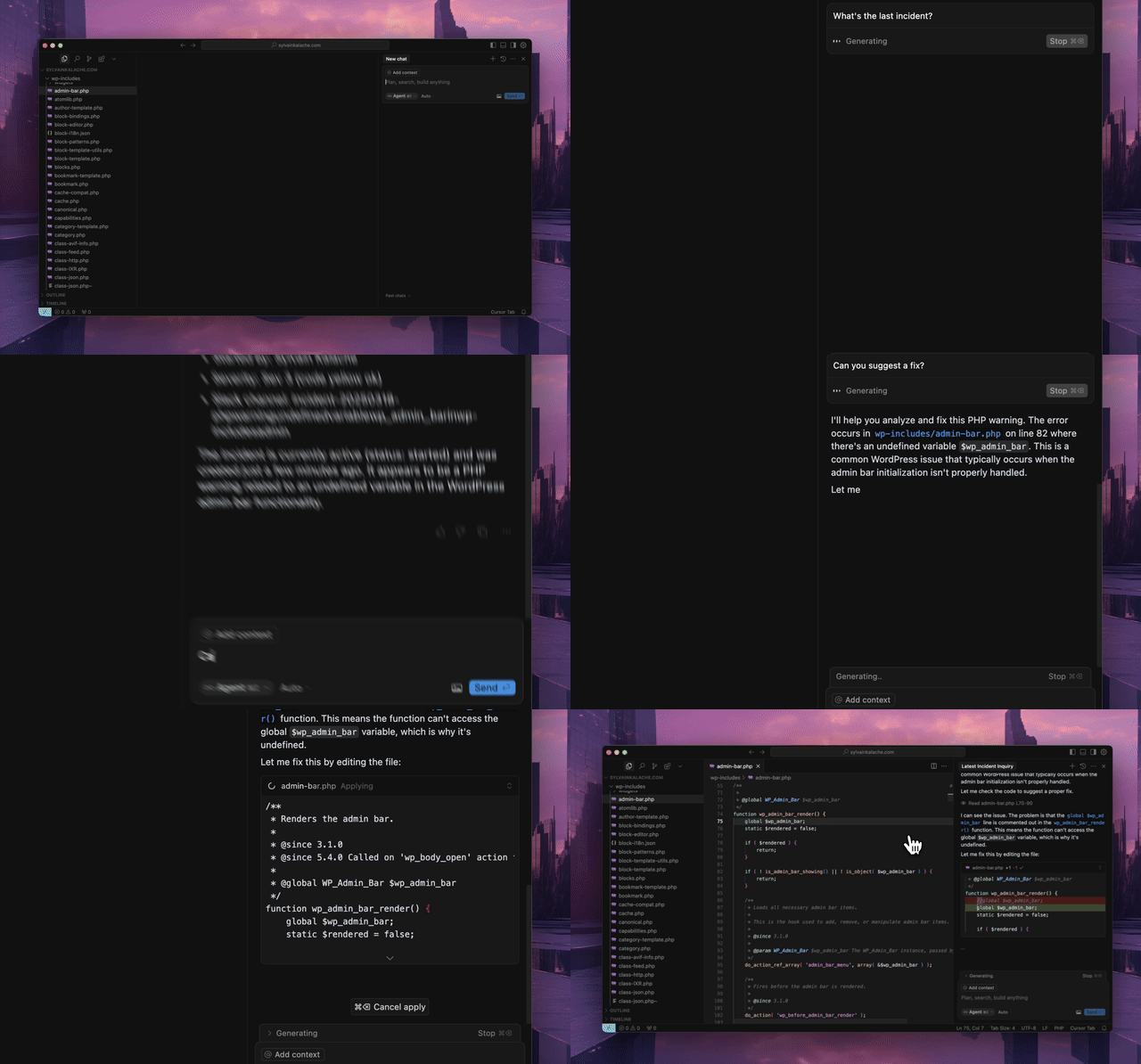
Quick Start
Use the hosted MCP server. No local installation required.
Hosted Transport Options
- Streamable HTTP (recommended):
https://mcp.rootly.com/mcp - Code Mode:
https://mcp.rootly.com/mcp-codemode - SSE (deprecated, removed after 2026-11-20):
https://mcp.rootly.com/sse
[!WARNING] SSE is deprecated. The hosted
https://mcp.rootly.com/sseendpoint and the self-hosted--transport sseoption will be removed after 2026-11-20. Switch your client to Streamable HTTP (https://mcp.rootly.com/mcp) or Code Mode (https://mcp.rootly.com/mcp-codemode); for most clients that means changing the URL and, if your client config has one, setting the transport tohttp/streamable-http. SSE responses now carryDeprecation,SunsetandLink: rel="successor-version"headers.
Hosted tool profiles:
- Full (default): use the URLs above as-is
- Slim (~70 tools): add
?tool_profile=slimto the hosted URL, for examplehttps://mcp.rootly.com/mcp?tool_profile=slim - Header alternative: send
X-Rootly-Tool-Profile: slim - Server-wide default: set
ROOTLY_MCP_HOSTED_TOOL_PROFILE=full|slim - Exact custom override: set
ROOTLY_MCP_ENABLED_TOOLS=...
General Remote Setup
With OAuth2 (recommended):
{
  "mcpServers": {
    "rootly": {
      "url": "https://mcp.rootly.com/mcp"
    }
  }
}
Your MCP client handles OAuth2 login automatically — a browser window opens for you to authenticate with Rootly. No API token needed.
With API Token:
{
  "mcpServers": {
    "rootly": {
      "url": "https://mcp.rootly.com/mcp",
      "headers": {
        "Authorization": "Bearer YOUR_ROOTLY_API_TOKEN"
      }
    }
  }
}
Code Mode:
{
  "mcpServers": {
    "rootly": {
      "url": "https://mcp.rootly.com/mcp-codemode"
    }
  }
}
If your config still points at https://mcp.rootly.com/sse, replace it with https://mcp.rootly.com/mcp before 2026-11-20 (SSE is deprecated, see above).
Agent Setup
With OAuth2 (recommended):
claude mcp add --transport http rootly https://mcp.rootly.com/mcp

# Code Mode:
claude mcp add --transport http rootly-codemode https://mcp.rootly.com/mcp-codemode
With API Token:
claude mcp add --transport http rootly https://mcp.rootly.com/mcp \
  --header "Authorization: Bearer YOUR_ROOTLY_API_TOKEN"
Manual Configuration — Create .mcp.json in your project root:
{
  "mcpServers": {
    "rootly": {
      "type": "http",
      "url": "https://mcp.rootly.com/mcp"
    }
  }
}
Install the extension:
gemini extensions install https://github.com/rootlyhq/rootly-mcp-server
Or configure manually in ~/.gemini/settings.json:
{
  "mcpServers": {
    "rootly": {
      "command": "uvx",
      "args": ["--from", "rootly-mcp-server", "rootly-mcp-server"],
      "env": {
        "ROOTLY_API_TOKEN": "<YOUR_ROOTLY_API_TOKEN>"
      }
    }
  }
}
Add to .cursor/mcp.json or ~/.cursor/mcp.json:
With OAuth2 (recommended):
{
  "mcpServers": {
    "rootly": {
      "url": "https://mcp.rootly.com/mcp"
    }
  }
}
With API Token:
{
  "mcpServers": {
    "rootly": {
      "url": "https://mcp.rootly.com/mcp",
      "headers": {
        "Authorization": "Bearer <YOUR_ROOTLY_API_TOKEN>"
      }
    }
  }
}
Add to ~/.codeium/windsurf/mcp_config.json:
With OAuth2 (recommended):
{
  "mcpServers": {
    "rootly": {
      "serverUrl": "https://mcp.rootly.com/mcp"
    }
  }
}
With API Token:
{
  "mcpServers": {
    "rootly": {
      "serverUrl": "https://mcp.rootly.com/mcp",
      "headers": {
        "Authorization": "Bearer <YOUR_ROOTLY_API_TOKEN>"
      }
    }
  }
}
Add to ~/.codex/config.toml:
With OAuth2 (recommended):
[mcp_servers.rootly]
url = "https://mcp.rootly.com/mcp"
With API Token:
[mcp_servers.rootly]
url = "https://mcp.rootly.com/mcp"
bearer_token_env_var = "ROOTLY_API_TOKEN"
With OAuth2 (recommended):
Add to claude_desktop_config.json:
{
  "mcpServers": {
    "rootly": {
      "url": "https://mcp.rootly.com/mcp"
    }
  }
}
Claude Desktop handles OAuth2 login automatically.
With API Token (via mcp-remote):
{
  "mcpServers": {
    "rootly": {
      "command": "npx",
      "args": [
        "-y",
        "mcp-remote",
        "https://mcp.rootly.com/mcp",
        "--transport",
        "http",
        "--header",
        "Authorization: Bearer <YOUR_ROOTLY_API_TOKEN>"
      ]
    }
  }
}
Register the hosted server in Unity Gateway so Supervisor Agent, AI Playground, and other Databricks agents can use it:
- In your workspace, open Unity Gateway > MCPs, click + MCP, and choose Connect an existing MCP server.
- Pick a catalog and schema, name the MCP, and create a new connection with URL
https://mcp.rootly.com/mcp. - Choose an authentication method:
- Dynamic Client Registration (recommended): each user signs in to Rootly with their own account.
- Bearer token: paste a Rootly API token.
- Click Create & load tools, click Login if prompted, and select the tools to expose.
Or create the connection with the Databricks SDK:
from databricks.sdk import WorkspaceClient
from databricks.sdk.service import catalog as c

WorkspaceClient().connections.create(
    name="rootly_connection",
    parent="schemas/main.default",
    connection_type=c.ConnectionType.HTTP,
    options={
        "host": "https://mcp.rootly.com",
        "port": "443",
        "base_path": "/mcp",
        "bearer_token": "<YOUR_ROOTLY_API_TOKEN>",
    },
)
The full profile exposes about 250 tools. Use Unity Gateway tool selection to expose only what your agents need. See docs/databricks-marketplace.md for the Marketplace listing details.
Rootly CLI
Standalone CLI for incidents, alerts, services, and on-call operations.
Install via Homebrew:
brew install rootlyhq/tap/rootly-cli
Or via Go:
go install github.com/rootlyhq/rootly-cli/cmd/rootly@latest
For more details, see the Rootly CLI repository.
Alternative Installation (Local)
Run the MCP server locally if you do not want to use the hosted service.
Prerequisites
- Python 3.12 or higher
uvpackage managercurl -LsSf https://astral.sh/uv/install.sh | sh- Rootly API token
API Token Types
Choose the token type based on the access you need:
- Global API Key: Full access across the Rootly instance. Best for organization-wide visibility.
- Team API Key: Access limited to entities owned by that team.
- Personal API Key: Access matches the user who created it.
A Global API Key is recommended for organization-wide queries and for actions that modify data, especially when workflows may span multiple teams, schedules, or incidents.
With uv
{
  "mcpServers": {
    "rootly": {
      "command": "uv",
      "args": [
        "tool",
        "run",
        "--from",
        "rootly-mcp-server",
        "rootly-mcp-server"
      ],
      "env": {
        "ROOTLY_API_TOKEN": "<YOUR_ROOTLY_API_TOKEN>",
        "ROOTLY_MCP_ENABLE_WRITE_TOOLS": "true"
      }
    }
  }
}
Self-Hosted Transport Options
Choose one transport per server process:
- Streamable HTTP endpoint path:
/mcp - SSE (deprecated, removed after 2026-11-20) endpoint path:
/sse.--transport sselogs a deprecation warning at startup; use--transport streamable-httpinstead. - Code Mode (experimental) endpoint path:
/mcp-codemodein hosted dual-transport mode. Oneexecutecall may make at most 50 tool calls; setROOTLY_CODE_MODE_MAX_TOOL_CALLSto a positive integer to change that.
Hosted and self-hosted deployments now both expose the full tool surface by default.
- Hosted default: full surface
- Hosted slim profile: about 70 high-usage tools via
?tool_profile=slim - Self-hosted default: full surface
To restrict either deployment to read-only tools, start the server with --no-enable-write-tools or set ROOTLY_MCP_ENABLE_WRITE_TOOLS=false.
For hosted clients that want the smaller remote profile, append ?tool_profile=slim to the MCP URL or send X-Rootly-Tool-Profile: slim.
AgentCat and Sentry telemetry
Hosted deployments can send MCP telemetry to AgentCat by setting
ROOTLY_MCPCAT_PROJECT_ID. To also export AgentCat events to Sentry, provide
SENTRY_DSN through the deployment's secret store. The optional
ENVIRONMENT defaults to production, and SENTRY_RELEASE defaults to the
installed Rootly MCP Server version. Sentry performance tracing is enabled when
the exporter is configured.
Free-form event text is redacted and actor names are omitted from Sentry-bound
telemetry; stable internal actor IDs remain available for correlation.
AgentCat's enable_tool_call_context and enable_report_missing options are
disabled. The SDK does not add an analytics context parameter or the
get_more_tools feedback tool. Tool-call telemetry remains enabled, including
arguments, responses, timing, errors, and configured identity information,
subject to the existing redaction hooks.
Telemetry runs on AgentCat v2 (MCP 2026-07-28 spec). Session correlation uses the
SDK's hook mode (resolve_session_id): the server derives the session from the
request. The key always starts with the caller (authenticated user, or a digest
of the token), then the client's Mcp-Session-Id when it sends one, otherwise
the UTC hour. No session_id parameter or session instructions are added to
tool schemas. Clients holding a cached tool
list that still send context or session_id are tolerated; the stray
argument is dropped before validation. initialize and tools/list events are
no longer published by the SDK.
To override the hosted or self-hosted default profile entirely, set ROOTLY_MCP_ENABLED_TOOLS (or pass --enabled-tools) with a comma-separated allowlist of exact tool names. When that variable is set, it fully replaces the default selection.
To expose only a specific subset of MCP tools on a self-hosted deployment, set ROOTLY_MCP_ENABLED_TOOLS (or pass --enabled-tools) with a comma-separated allowlist of exact tool names, for example list_incidents,get_incident,get_server_version.
PostHog MCP analytics
Setting POSTHOG_PROJECT_TOKEN (and optionally POSTHOG_HOST, default
https://us.i.posthog.com) sends $mcp_* events to PostHog with the same
privacy settings as AgentCat: no injected context, conversation_id or
llm_model parameters, credential scrubbing before send, and hosted users
identified by Rootly user ID only.
When AgentCat is also configured, both run side by side. posthog.mcp's MCP SDK
1.x code path cannot handle AgentCat's middleware directly, so the server wraps
it in an adapter first. On the stateless hosted transport, PostHog sessions are
tied together through the Mcp-Session-Id header minted at initialize.
AgentCat's session resolver also reads that header (scoped to the
authenticated caller), so with PostHog on, AgentCat groups those clients'
calls per connection instead of per hour.
OpenAI Apps domain verification
Hosted deployments expose an unauthenticated domain-verification endpoint used by the OpenAI plugin directory:
- Endpoint:
GET /.well-known/openai-apps-challenge - Environment variable:
ROOTLY_OPENAI_APPS_CHALLENGE_TOKEN
Set ROOTLY_OPENAI_APPS_CHALLENGE_TOKEN to the token generated in the OpenAI submission portal. The endpoint returns that exact token as text/plain (with Cache-Control: no-store), and returns 404 when the variable is unset or empty. The token is read from the environment at request time — never hardcode or commit it. The route is served on both the dual-transport (--transport both) and profiled streamable-HTTP hosted deployments and is not subject to Bearer authentication.
To discover the exact tool names available under your current self-hosted configuration, run:
ROOTLY_API_TOKEN=<YOUR_ROOTLY_API_TOKEN> \
uv run python -m rootly_mcp_server --list-tools
This prints the effective MCP tool names after applying your current settings, including ROOTLY_MCP_ENABLE_WRITE_TOOLS and ROOTLY_MCP_ENABLED_TOOLS.
Smoke-test a self-hosted allowlist:
ROOTLY_API_TOKEN=<YOUR_ROOTLY_API_TOKEN> \
ROOTLY_MCP_ENABLED_TOOLS=list_incidents,get_incident,get_server_version \
uv run python -m rootly_mcp_server --transport streamable-http --log-level ERROR
Then connect an MCP client to http://127.0.0.1:8000/mcp and verify tools/list returns only:
get_server_version
get_incident
list_incidents
To include specific write tools for self-hosted testing, add both the write flag and the allowlist:
ROOTLY_API_TOKEN=<YOUR_ROOTLY_API_TOKEN> \
ROOTLY_MCP_ENABLE_WRITE_TOOLS=true \
ROOTLY_MCP_ENABLED_TOOLS=create_incident,create_workflow_task,list_teams \
uv run python -m rootly_mcp_server --transport streamable-http --log-level ERROR
Example Docker run (Streamable HTTP):
docker run -p 8000:8000 \
  -e ROOTLY_TRANSPORT=streamable-http \
  -e ROOTLY_API_TOKEN=<YOUR_ROOTLY_API_TOKEN> \
  -e ROOTLY_MCP_ENABLE_WRITE_TOOLS=true \
  rootly-mcp-server
Example Docker run (SSE, deprecated: removed after 2026-11-20, use Streamable HTTP above):
docker run -p 8000:8000 \
  -e ROOTLY_TRANSPORT=sse \
  -e ROOTLY_API_TOKEN=<YOUR_ROOTLY_API_TOKEN> \
  rootly-mcp-server
Example Docker run (Dual transport + Code Mode; the /sse endpoint it also serves is deprecated):
docker run -p 8000:8000 \
  -e ROOTLY_TRANSPORT=both \
  -e ROOTLY_API_TOKEN=<YOUR_ROOTLY_API_TOKEN> \
  rootly-mcp-server
Workflow-Focused Tool Subsets
The full hosted and self-hosted surface exposes 200+ tools. If you want tighter workflow-specific subsets, use ROOTLY_MCP_ENABLED_TOOLS:
🚨 Incident Response (25 tools)
Essential tools for emergency responders and incident commanders
ROOTLY_MCP_ENABLED_TOOLS="list_incidents,get_incident,create_incident,update_incident,search_incidents,find_related_incidents,suggest_solutions,create_incident_action_item,list_incident_action_items,update_incident_form_field_selection,list_teams,get_current_user,list_services,list_severities,get_alert,list_alerts,get_alert_by_short_id,list_escalation_policies,get_escalation_policy,list_on_call_roles,list_schedules,get_schedule_shifts,get_oncall_handoff_summary,get_shift_incidents,list_endpoints"
📅 On-Call Management (33 tools)
For schedule coordinators and on-call managers
ROOTLY_MCP_ENABLED_TOOLS="list_schedules,get_schedule,update_schedule,get_schedule_shifts,list_shifts,create_schedule_rotation,update_schedule_rotation,list_schedule_rotations,get_schedule_rotation,list_schedule_rotation_users,update_schedule_rotation_user,create_on_call_shadow,update_on_call_shadow,list_on_call_shadows,create_override_shift,update_override_shift,list_override_shifts,list_on_call_roles,update_on_call_role,get_oncall_schedule_summary,get_oncall_shift_metrics,check_responder_availability,create_override_recommendation,list_teams,get_team,list_users,get_user,get_current_user,list_escalation_policies,update_escalation_policy,list_escalation_paths,update_escalation_path,list_escalation_levels"
📊 Monitoring & Alerting (40 tools)
For platform teams setting up observability
ROOTLY_MCP_ENABLED_TOOLS="list_alerts,get_alert,get_alert_by_short_id,create_alert_group,update_alert_group,list_alert_groups,create_alert_routing_rule,update_alert_routing_rule,list_alert_routing_rules,list_alert_events,get_alert_event,update_alert_event,create_heartbeat,update_heartbeat,list_heartbeats,get_heartbeat,create_pulse,update_pulse,list_pulses,get_pulse,create_dashboard,update_dashboard,list_dashboards,get_dashboard,create_dashboard_panel,update_dashboard_panel,list_status_pages,get_status_page,update_status_page,list_status_page_templates,get_status_page_template,list_communications_templates,update_communications_template,create_live_call_router,update_live_call_router,list_services,list_teams,get_current_user,list_environments,list_severities,list_endpoints"
📋 Post-Incident Analysis (30 tools)
For SREs doing retrospectives and process improvement
ROOTLY_MCP_ENABLED_TOOLS="get_incident,update_incident,find_related_incidents,suggest_solutions,list_incident_action_items,create_incident_action_item,update_incident_form_field_selection,create_post_incident_review,update_post_incident_review,list_post_incident_reviews,get_post_incident_review,create_retrospective_step,update_retrospective_step,list_retrospective_steps,create_retrospective_process,update_retrospective_process,list_retrospective_processes,create_playbook,update_playbook,list_playbooks,get_playbook,create_playbook_task,update_playbook_task,list_causes,get_cause,update_cause,list_incident_types,get_incident_type,update_incident_type,get_current_user"
📈 Analytics & Reporting (15 tools)
For leadership and metrics teams (read-only focus)
ROOTLY_MCP_ENABLED_TOOLS="list_incidents,search_incidents,collect_incidents,list_teams,list_services,list_schedules,get_oncall_shift_metrics,get_shift_incidents,list_dashboards,get_dashboard,list_alerts,list_heartbeats,list_pulses,get_current_user,list_endpoints"
Multiple MCP Instances for Different Teams
You can run multiple MCP instances with different tool subsets:
{
  "mcpServers": {
    "rootly-incident-response": {
      "command": "uvx", "args": ["--from", "rootly-mcp-server", "rootly-mcp-server"],
      "env": {
        "ROOTLY_API_TOKEN": "<token>",
        "ROOTLY_MCP_ENABLED_TOOLS": "list_incidents,get_incident,create_incident,find_related_incidents,suggest_solutions..."
      }
    },
    "rootly-oncall-management": {
      "command": "uvx", "args": ["--from", "rootly-mcp-server", "rootly-mcp-server"],
      "env": {
        "ROOTLY_API_TOKEN": "<token>",
        "ROOTLY_MCP_ENABLED_TOOLS": "list_schedules,update_schedule,create_override_shift,get_oncall_shift_metrics..."
      }
    }
  }
}
With uvx
{
  "mcpServers": {
    "rootly": {
      "command": "uvx",
      "args": [
        "--from",
        "rootly-mcp-server",
        "rootly-mcp-server"
      ],
      "env": {
        "ROOTLY_API_TOKEN": "<YOUR_ROOTLY_API_TOKEN>"
      }
    }
  }
}
Features
- Dynamic Tool Generation: Automatically creates MCP resources from Rootly's OpenAPI (Swagger) specification
- Smart Pagination: Uses bounded pagination and compact incident responses to prevent context window overflow
- API Filtering: Limits exposed API endpoints for security and performance
- Intelligent Incident Analysis: Smart tools that analyze historical incident data
find_related_incidents: Uses TF-IDF similarity analysis to find historically similar incidentssuggest_solutions: Mines past incident resolutions to recommend actionable solutions
- MCP Resources: Exposes incidents, teams, on-call status, and workflow guides as structured resources for AI context
- Intelligent Pattern Recognition: Automatically identifies services, error types, and resolution patterns
- On-Call Health Integration (self-hosted only): Detects workload health risk in scheduled responders
Supported Tools
The default tool surface depends on deployment profile:
- Hosted default: about 218 tools
- Hosted slim profile: about 70 tools
- Self-hosted default: about 218 tools
Custom Agentic Tools
check_oncall_health_risk- self-hosted onlycheck_responder_availabilitycollect_incidentscreate_incident- create a new incident with a scoped set of fields for agent workflowscreate_override_recommendationfind_related_incidentsget_incident- retrieve a single incident for direct verification, including PIR-related fieldsget_alert_by_short_idget_oncall_handoff_summaryget_oncall_schedule_summaryget_oncall_shift_metricsget_server_versionget_shift_incidentslist_endpointslist_incidentslist_shiftssearch_incidentssuggest_solutionsupdate_incident- update native incident fields with severity validation; retrospective status changes require the Rootly UI
OpenAPI-Generated Tools
Tool naming: all tools use
snake_case. The historicalcamelCasenames (e.g.getScheduleShifts,listIncidents) are no longer advertised intools/list, but remain callable as hidden aliases — they are transparently routed to theirsnake_casecanonical. Update configs andROOTLY_MCP_ENABLED_TOOLSallowlists to thesnake_casenames; legacy camelCase allowlist entries are auto-canonicalized.
list_workflow_runs
create_incident_action_item
create_incident_form_field_selection
create_workflow_task
get_alert
get_alert_event
get_alert_group
get_alert_routing_rule
get_alert_source
get_alert_urgency
get_catalog
get_catalog_entity
get_catalog_entity_property
get_catalog_property
get_cause
get_current_user
get_custom_form
get_environment
get_escalation_level
get_escalation_path
get_escalation_policy
get_form_field
get_form_field_option
get_functionality
get_functionality_incidents_chart
get_functionality_uptime_chart
get_incident_action_items
get_incident_form_field_selection
get_incident_type
get_on_call_role
get_on_call_shadow
get_override_shift
get_schedule
get_schedule_rotation
get_schedule_shifts
get_service
get_service_incidents_chart
get_service_uptime_chart
get_severity
get_status_page
get_status_page_template
get_team
get_team_incidents_chart
get_user
get_workflow
get_workflow_form_field_condition
get_workflow_group
get_workflow_task
list_alert_events
list_alert_groups
list_alert_routing_rules
list_alert_sources
list_alert_urgencies
list_alerts
list_all_incident_action_items
list_catalog_entities
list_catalog_entity_properties
list_catalog_properties
list_catalogs
list_causes
list_custom_forms
list_environments
list_escalation_levels
list_escalation_levels_paths
list_escalation_paths
list_escalation_policies
list_form_field_options
list_form_fields
list_functionalities
list_incident_action_items
list_incident_alerts
list_incident_form_field_selections
list_incident_types
list_observability_logs
list_observability_patterns
count_observability_logs
list_on_call_roles
list_on_call_shadows
list_override_shifts
list_schedule_rotation_active_days
list_schedule_rotation_users
list_schedule_rotations
list_schedules
list_services
list_severities
list_shifts
list_status_page_templates
list_status_pages
list_teams
list_users
list_workflow_form_field_conditions
list_workflow_groups
list_workflows
list_workflow_tasks
update_environment
update_escalation_level
update_escalation_path
update_escalation_policy
update_functionality
update_incident_type
update_on_call_role
update_on_call_shadow
update_override_shift
update_schedule
update_schedule_rotation
update_service
update_severity
update_team
update_workflow
update_incident_form_field_selection
update_workflow_task
Major Expansion: This version includes 50+ new endpoints covering communications, dashboards, playbooks, post-incident reviews, monitoring, and advanced form management - while carefully excluding security-sensitive operations like API key management, user creation/deletion, role management, and webhook configuration.
Delete operations remain disabled in the default tool surface.
On-Call Health Integration (Self-Hosted Only)
Integrates with On-Call Health to detect workload health risk in scheduled responders.
check_oncall_health_risk is unavailable on the hosted MCP service, including
the full and slim profiles, SSE, Streamable HTTP, and Code Mode. It is not
registered in hosted mode, so an API key or ROOTLY_MCP_ENABLED_TOOLS allowlist
cannot enable it. Ordinary on-call scheduling and incident tools remain available.
Self-hosted deployments retain this integration. Operators are responsible for appropriate employee disclosure and data handling for their deployment.
Setup
Set the ONCALLHEALTH_API_KEY environment variable:
{
  "mcpServers": {
    "rootly": {
      "command": "uvx",
      "args": ["--from", "rootly-mcp-server", "rootly-mcp-server"],
      "env": {
        "ROOTLY_API_TOKEN": "your_rootly_token",
        "ONCALLHEALTH_API_KEY": "och_live_your_key"
      }
    }
  }
}
Usage
check_oncall_health_risk(
    start_date="2026-02-09",
    end_date="2026-02-15"
)
Returns at-risk users who are scheduled, recommended safe replacements, and action summaries.
Example Skills
Pre-built Claude Code skills:
🚨 Rootly Incident Responder
This skill:
- Analyzes production incidents with full context
- Finds similar historical incidents using ML-based similarity matching
- Suggests solutions based on past successful resolutions
- Coordinates with on-call teams across timezones
- Correlates incidents with recent code changes and deployments
- Creates action items and remediation plans
- Provides confidence scores and time estimates
Quick Start:
# Copy the skill to your project
mkdir -p .claude/skills
cp examples/skills/rootly-incident-responder.md .claude/skills/

# Then in Claude Code, invoke it:
# @rootly-incident-responder analyze incident #12345
It demonstrates a full incident response workflow using Rootly tools and GitHub context.
On-Call Shift Metrics
Get on-call shift metrics for any time period, grouped by user, team, or schedule. Includes primary/secondary role tracking, shift counts, hours, and days on-call.
get_oncall_shift_metrics(
    start_date="2025-10-01",
    end_date="2025-10-31",
    group_by="user"
)
On-Call Handoff Summary
Complete handoff: current/next on-call + incidents during shifts.
# All on-call (any timezone)
get_oncall_handoff_summary(
    team_ids="team-1,team-2",
    timezone="America/Los_Angeles"
)

# Regional filter - only show APAC on-call during APAC business hours
get_oncall_handoff_summary(
    timezone="Asia/Tokyo",
    filter_by_region=True
)
Regional filtering shows only people on-call during business hours (9am-5pm) in the specified timezone.
Returns: schedules with current_oncall, next_oncall, and shift_incidents
MCP Resources for Context
AI agents can access these resources for situational awareness:
incident://{incident_id}- Detailed incident information for specific incidentsteam://{team_id}- Team details including name, color, and metadatarootly://incidents- List of recent incidents for quick referencerootly://oncall-status- Current on-call status across all schedules (critical for incident response)rootly://workflow-guide- Step-by-step workflow guidance for common operations
Example usage: "Check the current on-call status" → AI reads rootly://oncall-status resource
Shift Incidents
Incidents during a time period, with filtering by severity/status/tags.
get_shift_incidents(
    start_time="2025-10-20T09:00:00Z",
    end_time="2025-10-20T17:00:00Z",
    severity="critical",  # optional
    status="resolved",    # optional
    tags="database,api"   # optional
)
Returns: incidents list + summary (counts, avg resolution time, grouping)
Contributing
See CONTRIBUTING.md for developer setup and guidelines.
Play with it on Postman
About Rootly AI Labs
This project was developed by Rootly AI Labs, where we're building the future of system reliability and operational excellence. As an open-source incubator, we share ideas, experiment, and rapidly prototype solutions that benefit the entire community.

Rootly MCP Server Reviews
Login Required
Please log in to share your review and rating for this MCP.
Similar MCP Servers like Rootly MCP Server
Explore related MCPs that share similar capabilities and solve comparable challenges
Activepieces
by activepieces
A self‑hosted, open‑source platform that provides a no‑code builder for creating, versioning, and running AI‑driven automation workflows. Pieces are TypeScript‑based plugins that become MCP servers, allowing direct consumption by large language models.
Skyvern
Officialby Skyvern-AI
Automates browser‑based workflows by leveraging large language models and computer‑vision techniques, turning natural‑language prompts into fully functional web interactions without writing custom scripts.
RocketRide
by rocketride-org
Build, debug, and scale LLM workflows with a high‑performance C++ core and over 50 extensible Python nodes, supporting multiple model providers, vector databases, and agent orchestration, all from within your IDE.
BlenderMCP
Officialby ahujasid
Enables Claude AI to control Blender for prompt‑assisted 3D modeling, scene creation, and manipulation via a socket‑based Model Context Protocol server.
Pipedream
by PipedreamHQ
Connect APIs quickly with a free, hosted integration platform that enables event‑driven automations across 1,000+ services and supports custom code in Node.js, Python, Go, or Bash.
Inbox Zero
by elie222
Organizes email inbox, drafts replies in the user's tone, tracks follow‑ups, and provides analytics to achieve inbox zero quickly.
Cursor Talk To Figma
by grab
Enables Cursor AI to read and programmatically modify Figma designs through a Model Context Protocol integration.
Windows MCP
by CursorTouch
Enables AI agents to control the Windows operating system, performing file navigation, application launching, UI interaction, QA testing, and other automation tasks through a lightweight server.
Ableton MCP
by ahujasid
Enables Claude AI to control Ableton Live in real time, allowing AI‑driven creation, editing, and playback of tracks, clips, instruments, and effects through a socket‑based server.