
Appsecco MCP Client and Proxy
by
Provides a local HTTP proxy that forwards traffic to MCP servers and routes all requests through Burp Suite (or any configured upstream proxy), with optional SSL bypass, proxychains integration, and direct remote MCP support.
Appsecco MCP Client and Proxy Overview
What is Appsecco MCP Client and Proxy about?
Enables security testers to intercept and manipulate traffic between their tools and MCP servers. By running a local proxy on port 3000, requests are automatically sent through Burp Suite (default 127.0.0.1:8080) or any custom upstream proxy, allowing full visibility of both client‑side and backend MCP traffic.
How to use Appsecco MCP Client and Proxy?
- Install prerequisites – Python 3.7+, Node.js 18+,
proxychains(optional), Burp Suite. - Create a virtual environment and install Python dependencies:
python3 -m venv venv && source venv/bin/activate pip install -r requirements.txt - Install required Node.js packages for backend traffic interception:
npm install -g global-agent npm install undici - Start the proxy (default Burp proxy):
Optional flags:python3 app.py --start-proxy--config <file>– use a custommcp_config.json--no-burp– disable routing through Burp--no-proxychains– skip proxychains usage--no-ssl-bypass– keep original TLS verification--debug– verbose output
- Configure
mcp_config.jsonwith your MCP servers (see the serverConfig example below). The tool will launch the server (stdio ormcp-remote) and automatically inject proxy environment variables.
Key Features
- Local HTTP relay proxy (default port 3000) that forwards to Burp Suite or any upstream proxy.
- Supports three connection modes: stdio, mcp‑remote, and direct‑remote (URL only).
- Automatic proxychains detection and optional installation guidance.
- SSL certificate bypass via
NODE_EXTRA_CA_CERTSto trust Burp’s CA. - Built‑in OAuth 2.1 flow for remote MCP servers that require bearer token authentication.
- Static header injection for API‑key based authentication.
- Analytics opt‑out (
--no-analyticsorMCP_ANALYTICS_DISABLED=true). - Simple CLI with extensive help output.
Use Cases
- Penetration testing – intercept and modify requests/responses of MCP‑based services while testing web applications.
- Bug bounty / Red teaming – gain visibility into backend MCP traffic that would otherwise be encrypted.
- Secure development – developers can route MCP client traffic through local debugging proxies (e.g., Burp, OWASP ZAP) to validate request handling.
- Compliance testing – verify that MCP servers correctly enforce authentication (static headers vs. OAuth flow).
- Research – capture traffic patterns for security research on Model Context Protocol implementations.
FAQ
Q: Do I need to run mcp-remote manually?
A: No. When a server entry contains command: npx and the mcp-remote args, the tool spawns the subprocess automatically.
Q: How does the tool handle HTTPS traffic from mcp-remote?
A: It injects global-agent and a custom proxy-bootstrap.js that patches Node’s HTTP, HTTPS, and undici modules, forcing all outbound traffic through the configured HTTP/HTTPS proxy (Burp by default).
Q: Can I use the proxy without Burp Suite?
A: Yes. Provide a different proxy URL via --proxy http://host:port or disable Burp with --no-burp.
Q: What if my remote MCP server requires OAuth authentication?
A: The client automatically performs the MCP OAuth 2.1 flow when a 401 with WWW-Authenticate: Bearer is returned, unless a static Authorization header is defined.
Q: How do I opt‑out of usage analytics?
A: Use the --no-analytics flag or set the environment variable MCP_ANALYTICS_DISABLED=true.
Q: Is there a way to see the exact requests being sent?
A: Enable debug logging with --debug or inspect traffic directly in Burp Suite/your chosen proxy.
Appsecco MCP Client and Proxy's README
Appsecco MCP Client and Proxy
Semi Professional Security Tool with Cool Vibes - Send MCP Server Traffic to your Burp Suite



🌟 Key Features
- 🔍 Advanced MCP Server Integration - Connect to any MCP server with professional-grade reliability
- 🌐 Enterprise Proxy Support - Seamless integration with Burp Suite and other security tools
- 🔗 Proxychains Integration - Professional traffic routing and analysis capabilities
- 🛡️ SSL Bypass Support - Advanced testing scenarios with certificate handling
- 📊 Interactive Security Testing - Professional interface for security assessments
- 🔭 Full Traffic Visibility - Intercept both local relay traffic AND backend MCP server HTTPS traffic in Burp
- 🌍 Direct Remote MCP Support - Connect to remote HTTP/SSE MCP servers directly via URL without needing
mcp-remote
🚀 What This Tool Does
The Appsecco MCP Client and Proxy is a professional security testing tool that provides:
- Local Relaying Proxy - Start a local proxy server to route traffic through Burp Suite or other security tools
- MCP Server Integration - Connect to MCP servers defined in
mcp_config.jsonand interact with their tools - Professional Traffic Analysis - Route all traffic through configurable proxies for security testing
- Full Backend Visibility - Intercept HTTPS traffic from
mcp-remoteto remote MCP endpoints in Burp - Enterprise-Grade Reliability - Built for professional security teams and penetration testers
🛠️ Installation & Setup
Prerequisites
- Python 3.7+
- Node.js 18+ and npm (for running
npx-based MCP servers) - Proxychains (for advanced proxy routing)
- Burp Suite (recommended for traffic analysis)
Quick Start
# 1. Create virtual environment
python3 -m venv venv && source venv/bin/activate

# 2. Install Python requirements
pip3 install -r requirements.txt

# 3. Install Node.js dependencies for backend traffic interception
npm install -g global-agent
npm install undici

# 4. Run the professional security testing tool
python3 app.py --start-proxy
Proxychains Installation
The tool will automatically detect if proxychains is installed and provide installation instructions if needed:
- Ubuntu/Debian:
sudo apt-get install proxychains - CentOS/RHEL:
sudo yum install proxychains - macOS:
brew install proxychains-ng
📖 Usage
Basic Usage
# Start with HTTP proxy server for Burp inspection
python3 app.py --start-proxy

# Use custom configuration file
python3 app.py --config my_mcp_config.json --start-proxy

# Disable Burp proxy routing
python3 app.py --no-burp

# Disable proxychains
python3 app.py --no-proxychains
Advanced Options
usage: python3 app.py [-h] [--config CONFIG] [--proxy PROXY] [--start-proxy]
              [--proxy-port PROXY_PORT] [--no-burp] [--no-proxychains]
              [--no-ssl-bypass] [--debug]

Appsecco MCP Client and Proxy - Professional Security Testing Tool with proxychains support

options:
  -h, --help            show this help message and exit
  --config CONFIG, -c CONFIG
                        MCP configuration file (default: mcp_config.json)
  --proxy PROXY, -p PROXY
                        Burp proxy URL (default: http://127.0.0.1:8080)
  --start-proxy         Start HTTP proxy server for Burp inspection
  --proxy-port PROXY_PORT
                        HTTP proxy server port (default: 3000)
  --no-burp             Disable Burp proxy routing
  --no-proxychains      Disable proxychains usage
  --no-ssl-bypass       Disable SSL certificate bypass
  --debug               Enable debug output for troubleshooting

Example: python3 app.py --start-proxy

Brought to you by Appsecco - Product Security Experts
🔄 Connection Modes
The tool automatically detects three connection modes based on mcp_config.json:
| Mode | Config | Subprocess? | Wait Time | Use Case |
|---|---|---|---|---|
| stdio | command + args (no mcp-remote) |
Yes | 20s | Local MCP servers (e.g. python server.py) |
| mcp-remote | command: npx, args include mcp-remote |
Yes | 5s | Remote MCPs via the mcp-remote npm bridge |
| direct-remote | url only (no command) |
No | None | Remote HTTP/SSE MCP servers accessible via URL |
Direct Remote MCP Configuration
For remote MCP servers that expose an HTTP endpoint directly, use the url key without command:
{
  "mcpServers": {
    "my-remote-mcp": {
      "url": "https://remote.example.com/mcp"
    }
  }
}
No subprocess is spawned — the tool sends JSON-RPC requests directly to the URL. Traffic is routed through Burp (port 8080) by default for inspection, unless --no-burp is used.
Authentication for Remote MCPs
The tool supports two authentication mechanisms for direct-remote connections:
1. Static Headers (API keys, pre-obtained tokens)
Add a headers block to the server config:
{
  "mcpServers": {
    "my-remote-mcp": {
      "url": "https://remote.example.com/mcp",
      "headers": {
        "Authorization": "Bearer your-api-key-or-token"
      }
    }
  }
}
Any headers defined here are sent with every request. This works for API keys, static Bearer tokens, or any custom auth headers the server expects.
2. OAuth 2.1 (MCP spec compliant — automatic)
If the remote MCP server returns a 401 Unauthorized with a WWW-Authenticate: Bearer header, the tool automatically initiates the MCP OAuth 2.1 flow:
- Discovers the Protected Resource Metadata (RFC 9728) via
/.well-known/oauth-protected-resource - Fetches Authorization Server Metadata (RFC 8414 / OpenID Connect discovery)
- Attempts Dynamic Client Registration (RFC 7591) if no
oauth_client_idis configured - Opens the user's browser for Authorization Code + PKCE login
- Exchanges the auth code for an access token and retries the request
For servers that require a pre-registered OAuth client, add the client credentials to the config:
{
  "mcpServers": {
    "my-oauth-mcp": {
      "url": "https://remote.example.com/mcp",
      "oauth_client_id": "your-client-id",
      "oauth_client_secret": "your-client-secret"
    }
  }
}
| Config Field | Required | Purpose |
|---|---|---|
headers |
No | Static HTTP headers sent with every request |
oauth_client_id |
No | Pre-registered OAuth client ID (skips dynamic registration) |
oauth_client_secret |
No | OAuth client secret (for confidential clients) |
Note: Static
headerstake precedence. If anAuthorizationheader is set inheaders, the OAuth flow will not run.
🔄 Data Flow with --start-proxy
When using the --start-proxy flag, the tool creates a professional security testing environment:
stdio / mcp-remote mode:
1. 🚀 Run the app: python3 app.py --start-proxy
2. 🔧 MCP Server Starts (with proxychains and HTTP_PROXY set)
3. 🌐 Local Proxy Server Starts on port 3000
4. 📡 App sends requests -> Local Proxy (port 3000) -> Burp (port 8080) -> MCP Server (stdio)
5. 🔗 MCP server (mcp-remote) sends HTTPS requests -> Burp (port 8080) -> Remote MCP endpoint
6. 📤 Remote MCP endpoint responds -> Burp -> MCP Server -> Local Proxy -> App
direct-remote mode:
1. 🚀 Run the app: python3 app.py (no --start-proxy needed)
2. 📡 App sends JSON-RPC requests -> Burp (port 8080) -> Remote MCP endpoint
3. 📤 Remote MCP endpoint responds -> Burp -> App
Burp Suite Configuration
- Launch Burp Suite and set it to listen on port 8080 (localhost)
- Configure Burp to intercept traffic as usual. This traffic will be travelling to
localhost:3000and backend APIs - Use Burp's professional tools like Repeater, Intruder, and Scanner
🔭 Intercepting Backend MCP Server Traffic (mcp-remote)
By default, proxychains does not reliably intercept Node.js traffic because Node.js uses its own networking stack (libuv/undici) that bypasses LD_PRELOAD/DYLD_INSERT_LIBRARIES hooks. This means traffic from mcp-remote to remote endpoints like https://your-mcp-server.example.com/mcp would not appear in Burp.
This tool solves this using two mechanisms:
HTTP_PROXY/HTTPS_PROXYenv vars — set automatically on the MCP subprocess when Burp proxy is enabled, so npm and legacy http traffic routes through Burpproxy-bootstrap.js— a startup script that patches both Node.js's legacyhttp/httpsmodules (viaglobal-agent) and the nativefetch/undicidispatcher (viaundici'sProxyAgent), covering all outbound HTTP(S) connections frommcp-remote
Setup Steps
Step 1: Install the required Node.js packages
npm install -g global-agent
npm install undici        # run from the project directory
Step 2: Find your global-agent install path
npm root -g
# e.g. /usr/local/lib/node_modules  or  /Users/you/.nvm/versions/node/vX.Y.Z/lib/node_modules
Step 3: Export Burp's CA certificate as PEM
In Burp Suite: Proxy → Options → Import/export CA certificate → Export Certificate in DER format
Then convert to PEM:
openssl x509 -inform DER -in burp-ca.crt -out burp-ca.pem
Step 4: Update proxy-bootstrap.js with your global-agent path
Edit the require(...) path in proxy-bootstrap.js to match your system:
const { bootstrap } = require('/path/to/node_modules/global-agent');
bootstrap();

const { ProxyAgent, setGlobalDispatcher } = require('undici');
const proxyUrl = process.env.GLOBAL_AGENT_HTTPS_PROXY || 'http://127.0.0.1:8080';
setGlobalDispatcher(new ProxyAgent(proxyUrl));
Step 5: Configure mcp_config.json
Add an env block to each MCP server entry:
{
  "mcpServers": {
    "My MCP Server": {
      "command": "npx",
      "args": [
        "-y",
        "mcp-remote",
        "https://your-mcp-server.example.com/mcp"
      ],
      "env": {
        "NODE_EXTRA_CA_CERTS": "/path/to/burp-ca.pem",
        "NODE_OPTIONS": "--require /path/to/mcp-client-and-proxy/proxy-bootstrap.js",
        "GLOBAL_AGENT_HTTP_PROXY": "http://127.0.0.1:8080",
        "GLOBAL_AGENT_HTTPS_PROXY": "http://127.0.0.1:8080"
      }
    }
  }
}
| Field | Purpose |
|---|---|
NODE_EXTRA_CA_CERTS |
Trusts Burp's CA cert so TLS validation passes through the proxy |
NODE_OPTIONS |
Loads proxy-bootstrap.js before any other code runs |
GLOBAL_AGENT_HTTP_PROXY / GLOBAL_AGENT_HTTPS_PROXY |
Proxy URL picked up by both global-agent and proxy-bootstrap.js |
Once configured, all traffic — including HTTPS requests from mcp-remote to remote MCP endpoints — will appear in Burp.
📊 Analytics
This tool includes anonymous usage analytics for Appsecco to obtain usage metrics
What we track: startup arguments, tool start and end, count of MCP servers, error rates and basic system info (OS, Python version)
What we DON'T track: Personal data, URLs, testing targets, traffic, credentials
Opt-out: Use --no-analytics flag or set MCP_ANALYTICS_DISABLED=true
You can use export MCP_ANALYTICS_DEBUG=true to see what analytics data is shared.
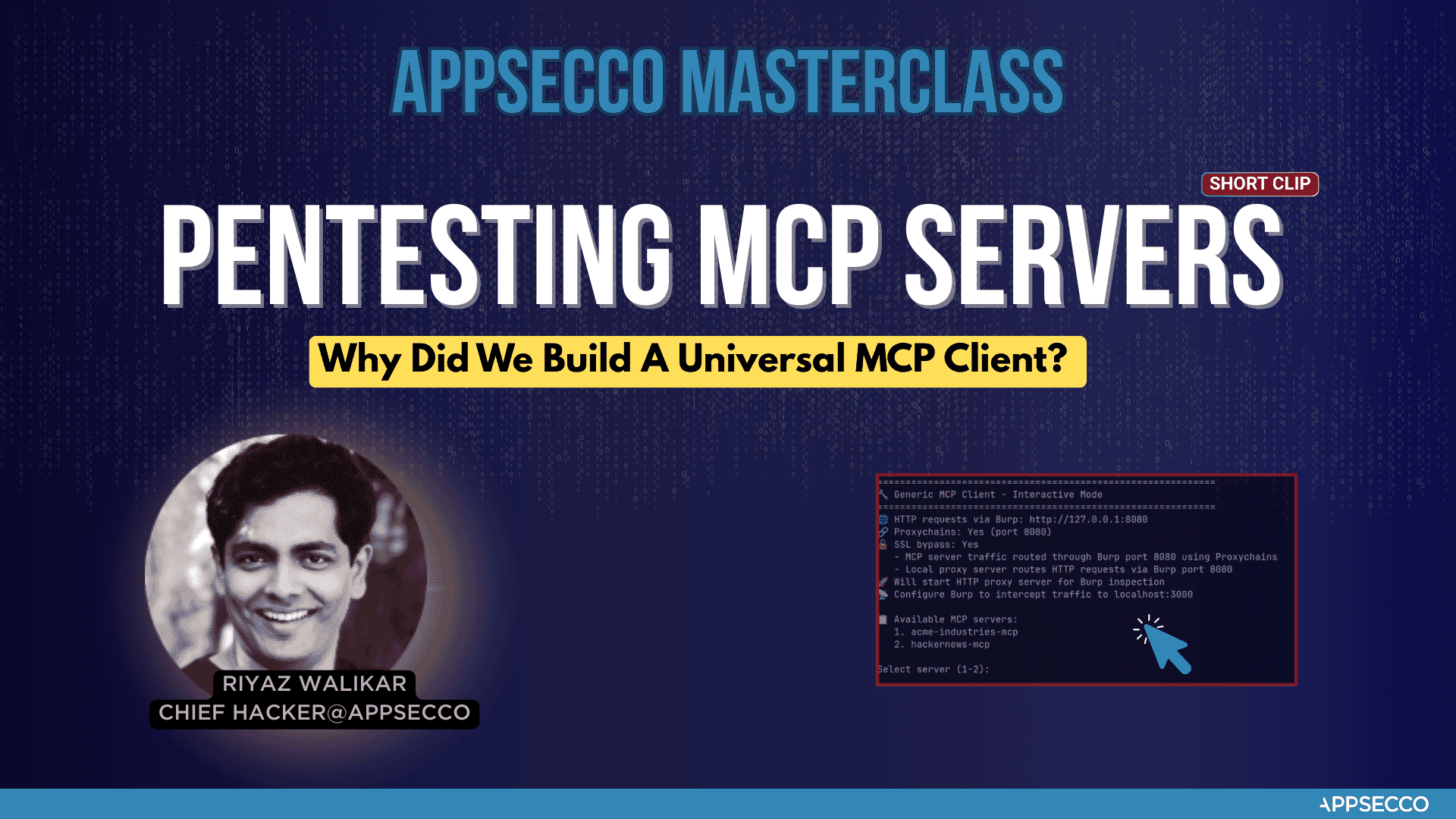
Why did we build this universal MCP client
🛡️ About Appsecco - Let Us Hack Your Product Like Attackers Do 🛡️
Appsecco is a leading cybersecurity company specializing in product security testing, penetration testing, and security assessments. At Appsecco we hack your product and Cloud/K8s infra like hackers do. Real security testing for business-critical applications.
We wrote this MCP Client and Proxy tool when we had to testing the security of MCP server of a Fortune 500 FinTech company. It worked well for our Burp Suite workflow. We felt that there could be others who may need this as well.
🏢 Product Security Testing
Appsecco provides comprehensive cybersecurity services:
- 🔍 Penetration Testing & Security Assessments for Business-critical Products
- 🛡️ Application Security Testing
- 🏗️ Infrastructure Security Audits
- ☁️ Cloud Security Assessments
📞 Contact & Support
While this tool is offered under an open source MIT license, if you are interested in taking a look at our services. Here are the details.
- 🌐 Website: https://appsecco.com
- 📧 Email: HackMyProduct@appsecco.com
- 📱 LinkedIn: https://linkedin.com/company/appsecco
📄 License
This project is licensed under the MIT License - see the LICENSE file for details.
🙏 Acknowledgments
Built with ❤️ by Riyaz & Akash for the cybersecurity community.
Appsecco - Let Us Hack Your Product Like Attackers Do 🛡️
Appsecco MCP Client and Proxy Reviews
Login Required
Please log in to share your review and rating for this MCP.
Similar MCP Servers like Appsecco MCP Client and Proxy
Explore related MCPs that share similar capabilities and solve comparable challenges
SafeLine
by chaitin
A self‑hosted web application firewall and reverse proxy that protects web applications from attacks and exploits by filtering, monitoring, and blocking malicious HTTP/S traffic.
Snyk Agent Scan
by snyk
Scans installed AI agent components, MCP servers, and skill files for prompt‑injection, tool poisoning, toxic flows, hard‑coded secrets and other supply‑chain risks.
OpenOSINT
by OpenOSINT
Provides an AI‑driven OSINT workflow that lets users query a natural‑language REPL, CLI, web UI, or MCP server, automatically selecting and chaining 18 reconnaissance tools to collect, pivot, verify, and report public‑source intelligence.
Reverify
by 2akouwu
Provides deterministic verification of AI‑generated claims against binary artifacts, ensuring every structural or behavioral assertion is grounded in the actual file and preserving verified state across context resets.
Hol Guard
by hashgraph-online
Open-source antivirus for AI agents that blocks risky tools, secret exposure, prompt injection, malicious packages, MCP servers, plugins, and skills at runtime.
SafeDep Vet
by safedep
Provides enterprise‑grade open source software supply chain security by scanning source code, dependencies, containers and SBOMs, detecting vulnerabilities and malicious packages, and enforcing policy as code.
Ssh Mcp Server
by tufantunc
Provides controlled SSH access for LLM agents with command classification, policy‑based authorization, human‑in‑the‑loop approval, and immutable audit logging.
Semgrep MCP Server
by semgrep
Offers an MCP server that lets LLMs, agents, and IDEs run Semgrep scans to detect security vulnerabilities in source code.
Agent Opfor
by KeyValueSoftwareSystems
Enables adversary emulation for AI agents, LLM applications, and MCP servers, letting teams test their AI systems against realistic attack scenarios.